
PIXEL MATH
Exact fractions vs rounded pixels: why 1366 × 768 isn't 16:9
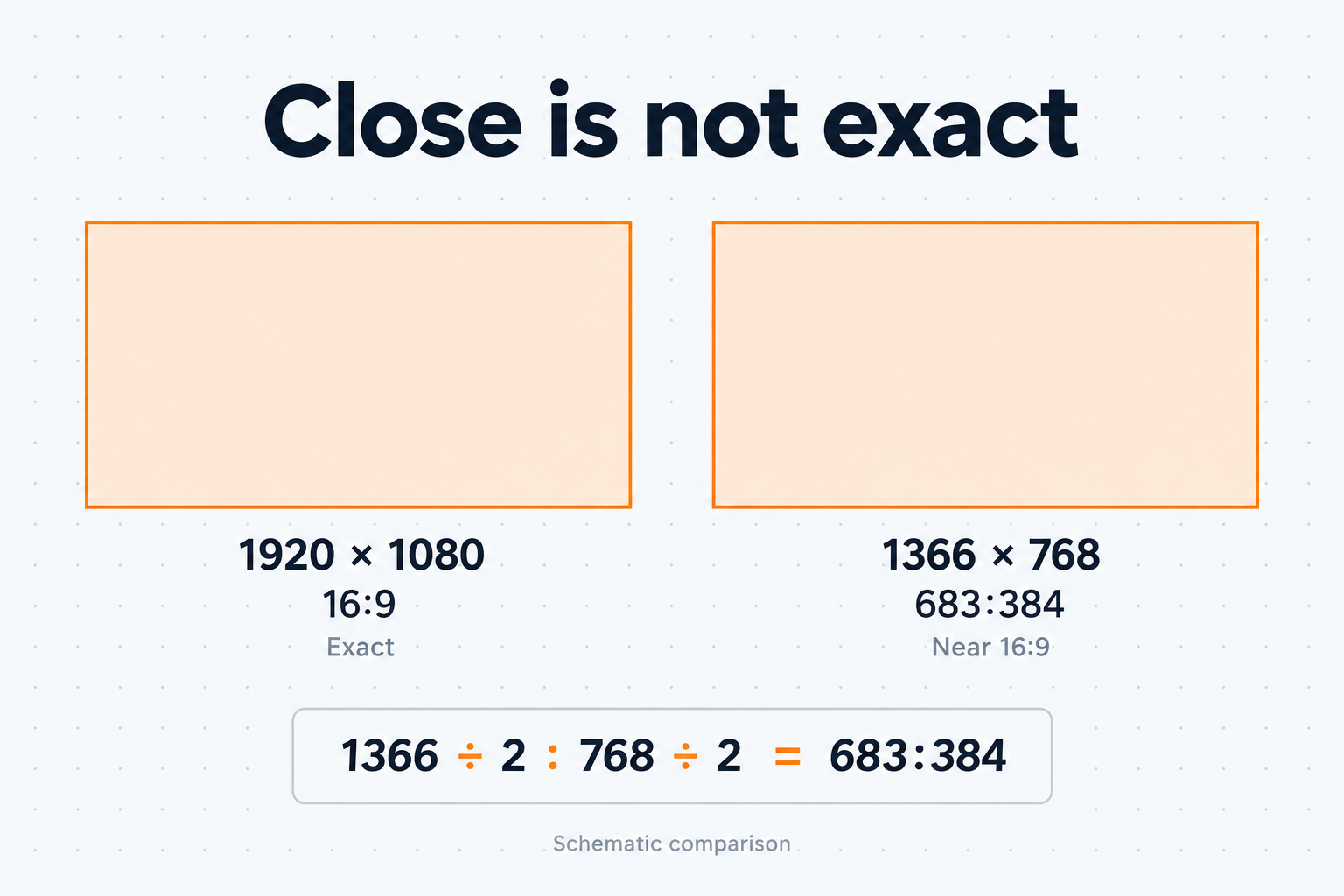
1366 × 768 reduces to 683:384, not 16:9. Exact 16:9 at 1366 px wide would need a height of 768.375 px, and at 768 px tall a width of 1365⅓ px. Neither is a whole pixel, so the screen is close to 16:9 but not equal to it.
The distinction matters when you calculate sizes: the ratio can be exact even when the required dimension falls between whole pixels. The examples below assume positive whole-pixel dimensions and, where noted, a ratio reduced to lowest terms. Values marked ≈ are rounded for display.
Reduce with the GCD
Divide width and height by their greatest common divisor (GCD). For the basics, see What is aspect ratio?.
// Assumes positive integers.
function gcd(a, b) {
  while (b !== 0) [a, b] = [b, a % b];
  return a;
}

function reduceRatio(width, height) {
  const g = gcd(width, height);
  return [width / g, height / g]; // exact: g divides both
}

reduceRatio(1920, 1080); // [16, 9]    (GCD 120)
reduceRatio(1366, 768); // [683, 384] (GCD 2)| Size | GCD | Reduced ratio | Width ÷ height |
|---|---|---|---|
| 1920 × 1080 | 120 | 16:9 | ≈ 1.7778 |
| 1366 × 768 | 2 | 683:384 | ≈ 1.7786 |
| 1360 × 768 | 16 | 85:48 | ≈ 1.7708 |
| 1440 × 900 | 180 | 8:5 | 1.6 |
| 3440 × 1440 | 80 | 43:18 | ≈ 2.3889 |
The 1366 × 768 shape differs from 16:9 by about 0.05%. The difference is small, but the dimensions fail a ratio === 16 / 9 check or a preset lookup by reduced ratio. Ultrawide labels work the same way: 3440 × 1440 is sold as "21:9" but reduces to 43:18. The ultrawide calculator uses actual monitor resolutions instead of marketing labels.
Don't store a ratio as a rounded decimal. With 1.78 for 16:9, 1920 / 1.78 is ≈ 1078.65, which rounds to 1079 instead of 1080. 1920 * 9 / 16 gives 1080. Keep both integers and divide last.
Scaling to a target ratio
For a target ratio W:H, height = width × H ÷ W. The result is a whole number only when width × H is divisible by W. For a reduced ratio, that means the width must be a multiple of W.
Test that with integer arithmetic rather than by inspecting a floating-point quotient:
// Assumes positive integers and a reduced ratio. width, rh, rw and the
// product width * rh must all be <= Number.MAX_SAFE_INTEGER.
function heightFor(width, [rw, rh], mode = "round") {
  const product = width * rh;
  return {
    isWhole: product % rw === 0,   // exact integer test
    approx: product / rw,          // floating-point result
    px: Math[mode](product / rw),
  };
}

heightFor(1200, [16, 9]); // { isWhole: true,  approx: 675,      px: 675 }
heightFor(1001, [16, 9]); // { isWhole: false, approx: 563.0625, px: 563 }
If the inputs and every intermediate product stay within Number.MAX_SAFE_INTEGER, the multiplication and % are exact. The division may not be: 16000 ÷ 9 = 1777.777… has no finite binary form, so 16000 / 9 returns the nearest double. BigInt removes the size limit, but its division truncates (16000n / 9n is 1777n), so you still need to store a non-integer result as a numerator/denominator pair. The site's calculator does this.
In the table below, shape error = ((width ÷ rounded height) ÷ (W ÷ H) − 1) × 100%.
| Width | Target | Exact height | Rounded | Resulting ratio | Shape error |
|---|---|---|---|---|---|
| 1200 | 16:9 | 675 | 675 | 16:9 | 0 |
| 1001 | 16:9 | 9009/16 = 563.0625 | 563 | 1001:563 | ≈ +0.011% |
| 1000 | 9:16 | 16000/9 ≈ 1777.78 | 1778 | 500:889 | ≈ −0.012% |
| 1081 | 4:5 | 5405/4 = 1351.25 | 1351 | 1081:1351 | ≈ +0.019% |
| 3440 | 21:9 | 10320/7 ≈ 1474.29 | 1474 | 1720:737 | ≈ +0.019% |
The errors are tiny, but a rounded size is no longer W:H: 1001 × 563 reduces to 1001:563. If you need sizes that are exactly W:H, use multiples of the reduced pair instead. Between 1000 and 1100 px wide, only 1008, 1024, 1040, 1056, 1072 and 1088 give a whole-pixel 16:9 height.
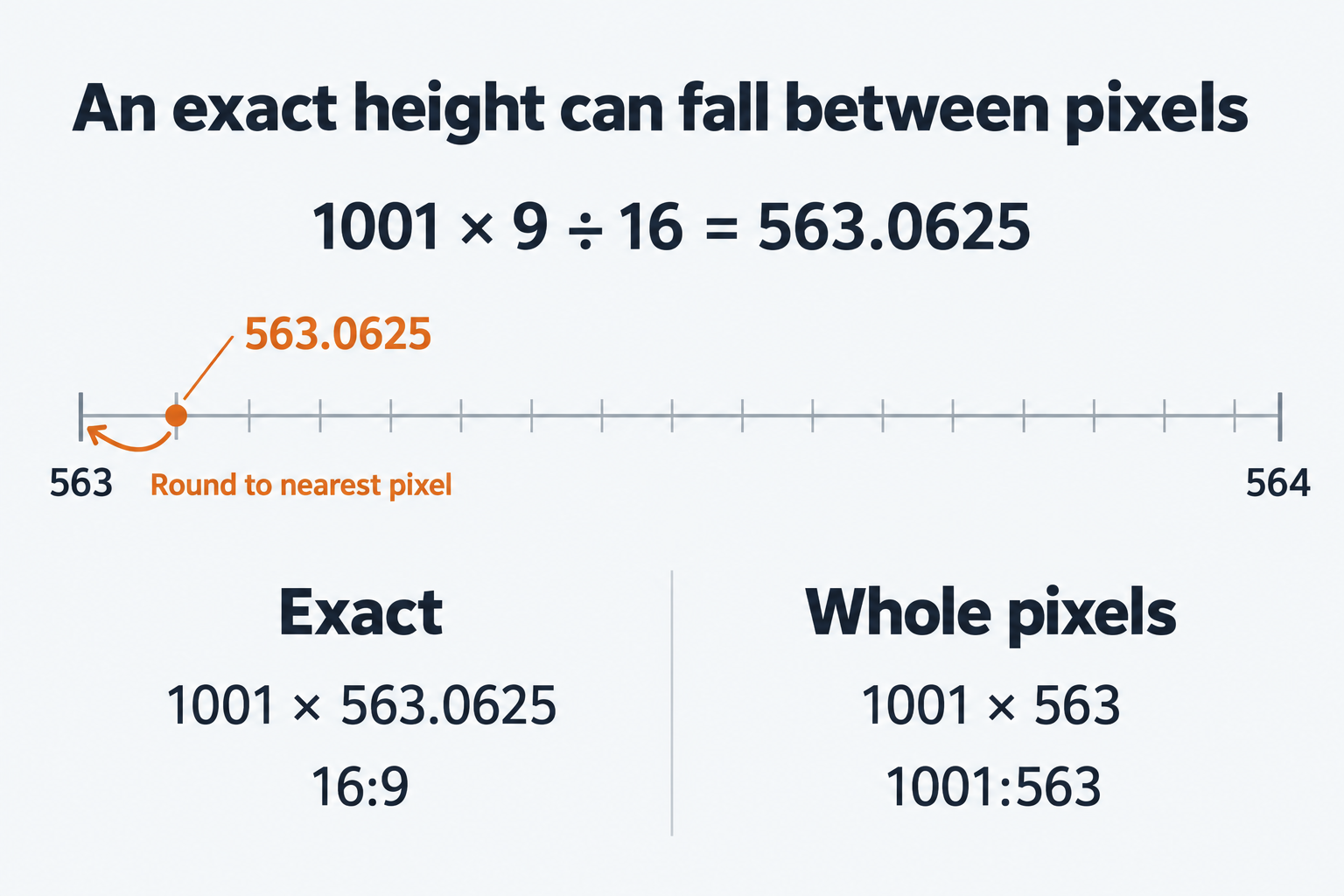
Rounding also compounds. Scale 1920 × 1080 to 333 px wide and the height is 187.3125, which rounds to 187. Scale 333 × 187 back to 1920 wide and the height is ≈ 1078.2, which rounds to 1078. Always scale from the original dimensions or the reduced ratio.
Decimal ratios such as 2.39:1 and 1.85:1 are exact as written, but a JavaScript number usually can't store them exactly. Convert them to integer pairs (239:100, 37:20) and reduce those.
round, floor or ceil?
Choose the direction from the layout constraint:
| Method | Use when | Example |
|---|---|---|
Math.round | You want the closest shape | 16:9 at 1001 wide: 563.0625 → 563 |
Math.floor | The result must fit inside a source, container or maximum | 9:16 crop from 1920 × 1080: 607.5 → 607 wide |
Math.ceil | The result must cover an area or meet a minimum | 4:5 at 1081 wide, minimum height: 1351.25 → 1352 |
Centring can leave half a pixel over. A 607 px crop centred in 1920 px needs an offset of (1920 − 607) ÷ 2 = 656.5. Flooring it puts the extra pixel on one side. Also note that Math.round(-2.5) is -2, because halves round toward +∞. That matters for offsets that can go negative.
Crops: 4:5 and 9:16
1080 × 1350 (4:5) and 1080 × 1920 (9:16) are common portrait export sizes. Check the destination's current requirements before exporting. Crops to those ratios from typical sources often aren't whole pixels:
| Source | Target | Largest crop (exact) | After floor | Largest whole-pixel crop at exact ratio |
|---|---|---|---|---|
| 6000 × 4000 | 4:5 | 3200 × 4000 | 3200 × 4000 | 3200 × 4000 |
| 4032 × 3024 | 4:5 | 2419.2 × 3024 | 2419 × 3024 | 2416 × 3020 |
| 1920 × 1080 | 9:16 | 607.5 × 1080 | 607 × 1080 | 603 × 1072 |
The last column uses the largest whole number k for which W × k by H × k fits in the source:
// Assumes positive integers and a reduced ratio.
function largestExactCrop(srcW, srcH, [rw, rh]) {
  const k = Math.min(Math.floor(srcW / rw), Math.floor(srcH / rh));
  return k > 0 ? [rw * k, rh * k] : null; // null: source smaller than rw × rh
}

largestExactCrop(1920, 1080, [9, 16]); // [603, 1072]
largestExactCrop(4032, 3024, [4, 5]);  // [2416, 3020]
largestExactCrop(400, 300, [683, 384]); // null
If the source is narrower than W or shorter than H, k is 0 and no positive whole-pixel crop at the exact ratio fits. A rounded crop is an option if a small ratio difference is acceptable. For a 12 MP photo, 2419 × 3024 is slightly off 4:5, while 2416 × 3020 is exact. If you resize to 1080 × 1350 afterwards, either works. If later code checks the ratio exactly, use the exact crop.
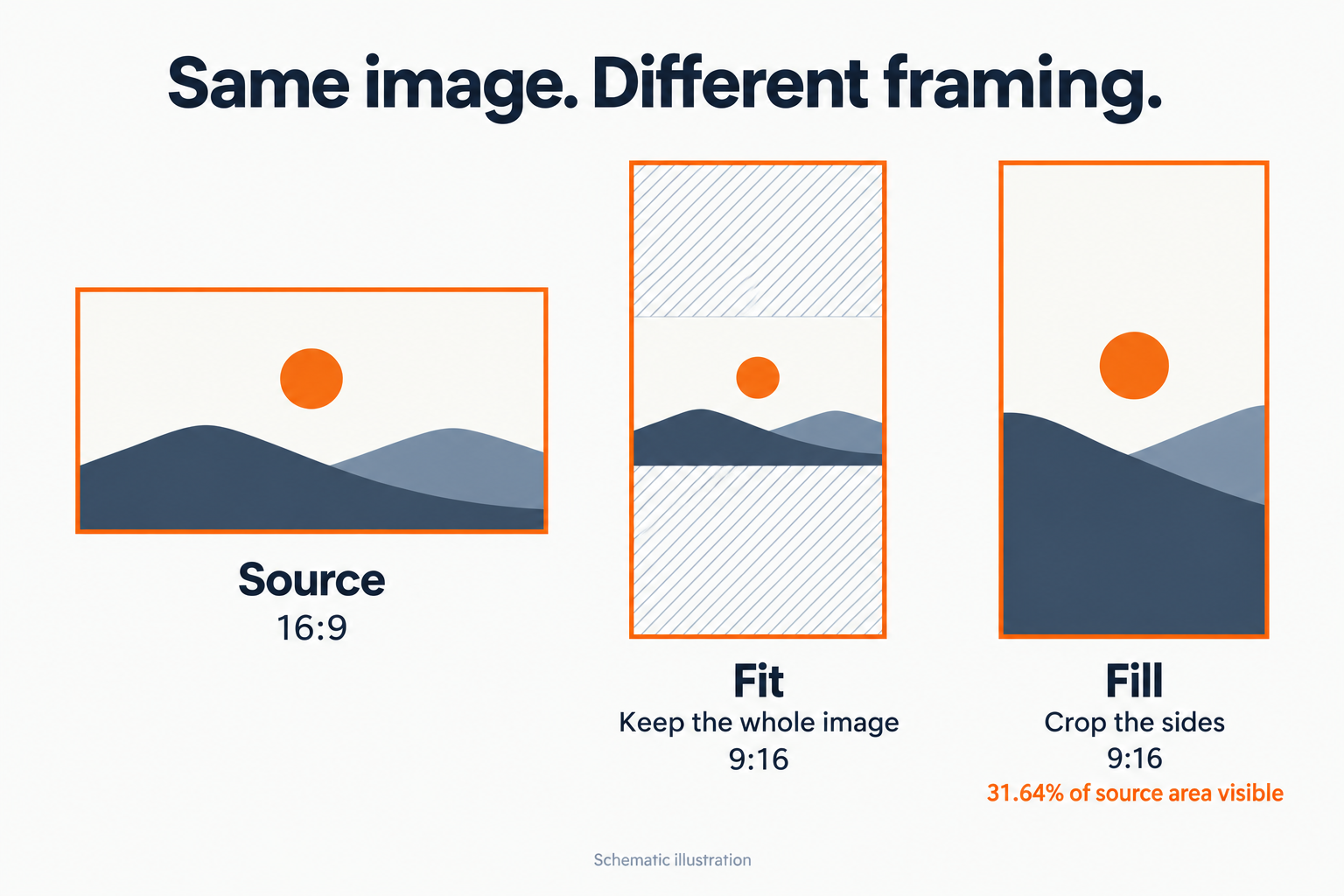
The same fractions show how much of a 16:9 image survives in a portrait or square frame. With Fit, the image covers 9/16 = 56.25% of a 1:1 frame, 9/20 = 45% of a 4:5 frame and 81/256 ≈ 31.64% of a 9:16 frame. With Fill, the same share of the image remains visible. In both cases the share is the smaller ratio divided by the larger.
CSS: let the browser keep the fraction
CSS aspect-ratio sets a preferred ratio. It applies only when at least one dimension is automatic, so if you set both width and height, those win. Content size and minimum-size constraints can also make the box differ from the preferred ratio.
It accepts unreduced pairs, so you can use real dimensions:
.video { width: 100%; aspect-ratio: 16 / 9; }
.panel { width: 100%; aspect-ratio: 1366 / 768; } /* the real shape */
.thumb { width: 270px; aspect-ratio: 4 / 5; }     /* 337.5px tall */

.thumb img {
  width: 100%;
  height: 100%;
  object-fit: cover;   /* Fill: cover the box, crop the overflow */
}
.preview img { object-fit: contain; } /* Fit: whole image, with bars */
The browser lays out fractional sizes such as 337.5px and snaps to device pixels when it paints. Rounding in JavaScript first throws that precision away.
Give each <img> width and height attributes equal to its actual pixel dimensions, for example width="4032" height="3024". If CSS leaves the height automatic (height: auto), the browser reserves space at the right ratio before the image loads. The video page shows how contain produces letterboxing or pillarboxing.
Checking dimensions with the calculator
The aspect ratio calculator uses exact fractions:
- Calculate size finds the missing dimension and says whether the result is whole pixels or rounded to the nearest pixel (halves round up). Precision detail shows the exact value.
- Aspect ratio reduces a width and height. A "Near" label means the size is close to a common ratio, not an exact match.
- Resize keeps the original ratio for a new width or height.
The image aspect ratio checker reads a local JPG, PNG, WebP, GIF or AVIF file in your browser and shows its reduced ratio. It previews Fit and Fill in 1:1, 4:5, 9:16 and 16:9 frames. These are visual previews; the tool doesn't crop, resize or export files.